A social media crop test
What gets cut off?
See what survives the crop.
Before you design around it.
One image. Different shapes. Compare the crops below, then post the test image on your own account to see what stays visible on phones, tablets, and desktops.
Square PNG · Free to download · No upload needed
Same image, different windows
Find what stays in frame.
These are shape comparisons, not platform templates.
Every preview uses the same square image.
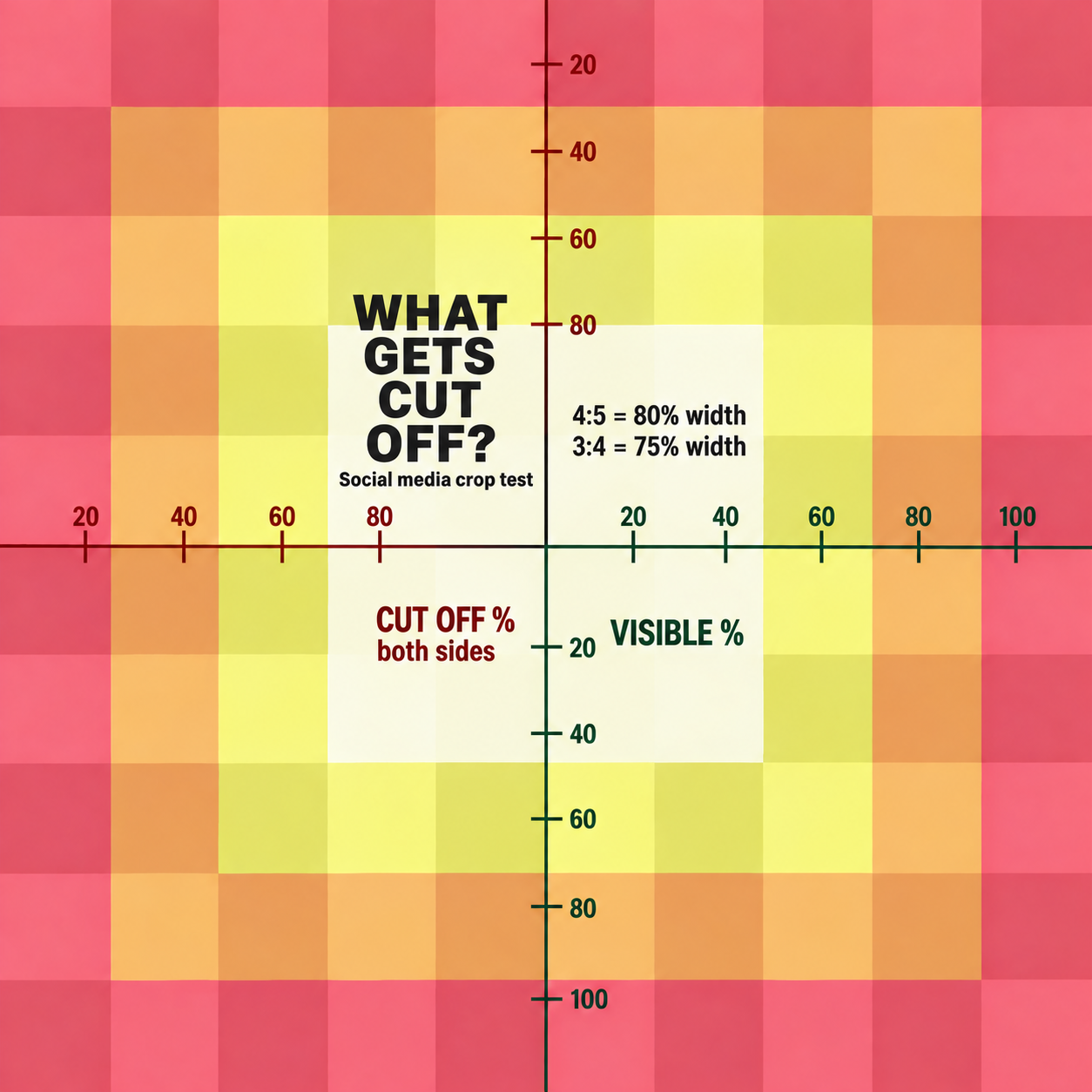
Full image · Nothing cropped
80% of width visible · 10% off each side
75% of width visible · 12.5% off each side
56.3% of width visible · 21.9% off each side
75% of height visible · 12.5% off top & bottom
66.7% of height visible · 16.7% off top & bottom
56.3% of height visible · 21.9% off top & bottom
52.4% of height visible · 23.8% off top & bottom
33.3% of height visible · 33.3% off top & bottom
Percentages below the previews are calculated from the crop dimensions. The printed image markings are a visual guide, not a calibrated ruler.
Test first. Design second.
Take it to the real thing.
- 01
Download & post
Use the test image as a post or cover on the account and placement you want to design for.
- 02
Look in different places
Check the profile grid, feed, and full post. Switch between desktop, tablet, and phone, then rotate the screen.
- 03
Design around what stays
Notice which colors, labels, and parts of the grid remain visible. Keep important text and artwork inside that area.
A crop is only part of the picture. Profile photos, buttons, and captions can cover your image too. Check the actual placement before publishing your final design.